菜单
菜单是本插件的核心功能之一,通过 yml 配置文件即可创建一个可以在游戏内打开的菜单(又称 GUI)。
本插件目前仅支持箱子和铁砧菜单。
一个普通的菜单配置如下:
yaml
main-1:
  title: "商店列表 #1"
  structure:
    - "# # # # # # # # #"
    - "# 0 0 0 0 0 0 0 #"
    - "# 0 a b c d e 0 #"
    - "# 0 f g h i j 0 #"
    - "# 0 0 0 0 0 0 0 #"
    - "# # # # # > > > #"
  icons:
   "0":
    base: air
   "#":
    base: black_stained_glass_pane
    name: " "
    lore:
      - "<dark_gray>墙壁"
      - " "
   "a":
    base: diamond_ore
    name: "<#A0522D>方块商店"
    actions:
      left:
        - open_shop{shop="blocks"}
   "b":
    base: ender_eye
    name: "<gray>黑市"
    actions:
      left:
        - open_shop{shop="black_market"}
   ">":
    base: lime_stained_glass_pane
    name: "<green>下一页"
    actions:
      left:
        - open_gui{id="main-2"}

main-2:
  title: "商店列表 #2"
  structure:
    - "# # # # # # # # #"
    - "# 0 0 0 0 0 0 0 #"
    - "# 0 a b c d b 0 #"
    - "# 0 f g h i j 0 #"
    - "# 0 0 0 0 0 0 0 #"
    - "# < < < # # # # #"
  icons:
   "0":
    base: air
   "#":
    base: black_stained_glass_pane
    name: " "
    lore:
      - "<dark_gray>墙壁"
      - " "
   "a":
    base: diamond_ore
    name: "<#A0522D>方块商店"
    actions:
      left:
        - open_shop{shop="blocks"}
   "b":
    base: ender_eye
    name: "<gray>黑市"
    actions:
      left:
        - open_shop{shop="black_market"}
   "<":
    base: red_stained_glass_pane
    name: "<red>上一页"
    actions:
      left:
        - open_gui{id="main-1"}
下面将列出所有可用的配置条目及其含义。
title
title 代表菜单的标题,接受一个 HS 字符串或 HS 字符串列表为值。
若提供的值是字符串列表,则每次刷新时会自动按顺序取列表中的值进行计算并显示。
yaml
title: "标题"
title: "<red>支持 MiniMessage"
title: "${player_name} 本质上是 HS 字符串"
title:
  - "标题 1"
  - "标题 <red>2"
  - "标题 3 ${player_name}"
title-update-period
title-update-period 表示标题刷新的频率,接受一个 时间字符串 为值。不写或置 0s 表示不刷新。
scroll-mode
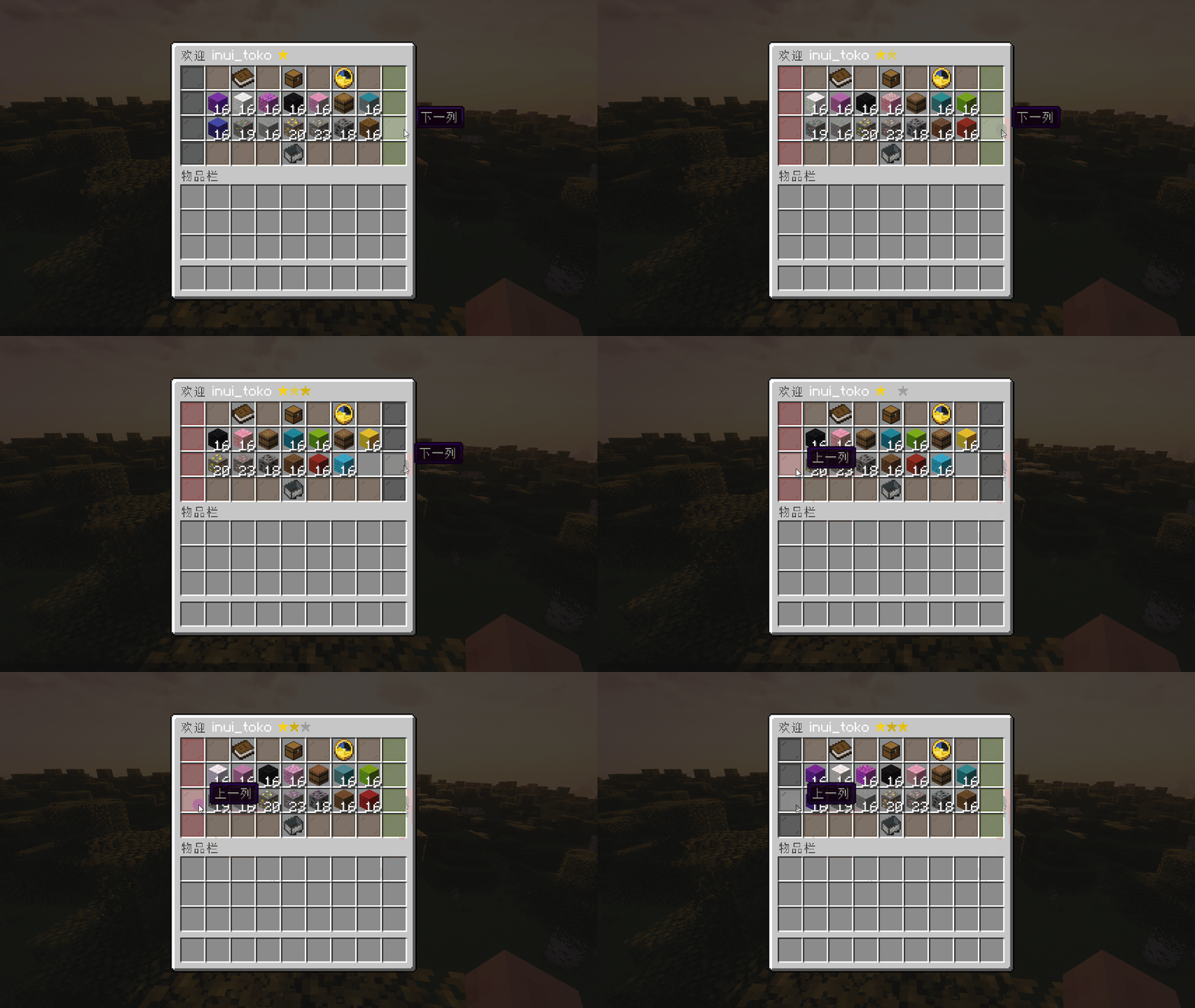
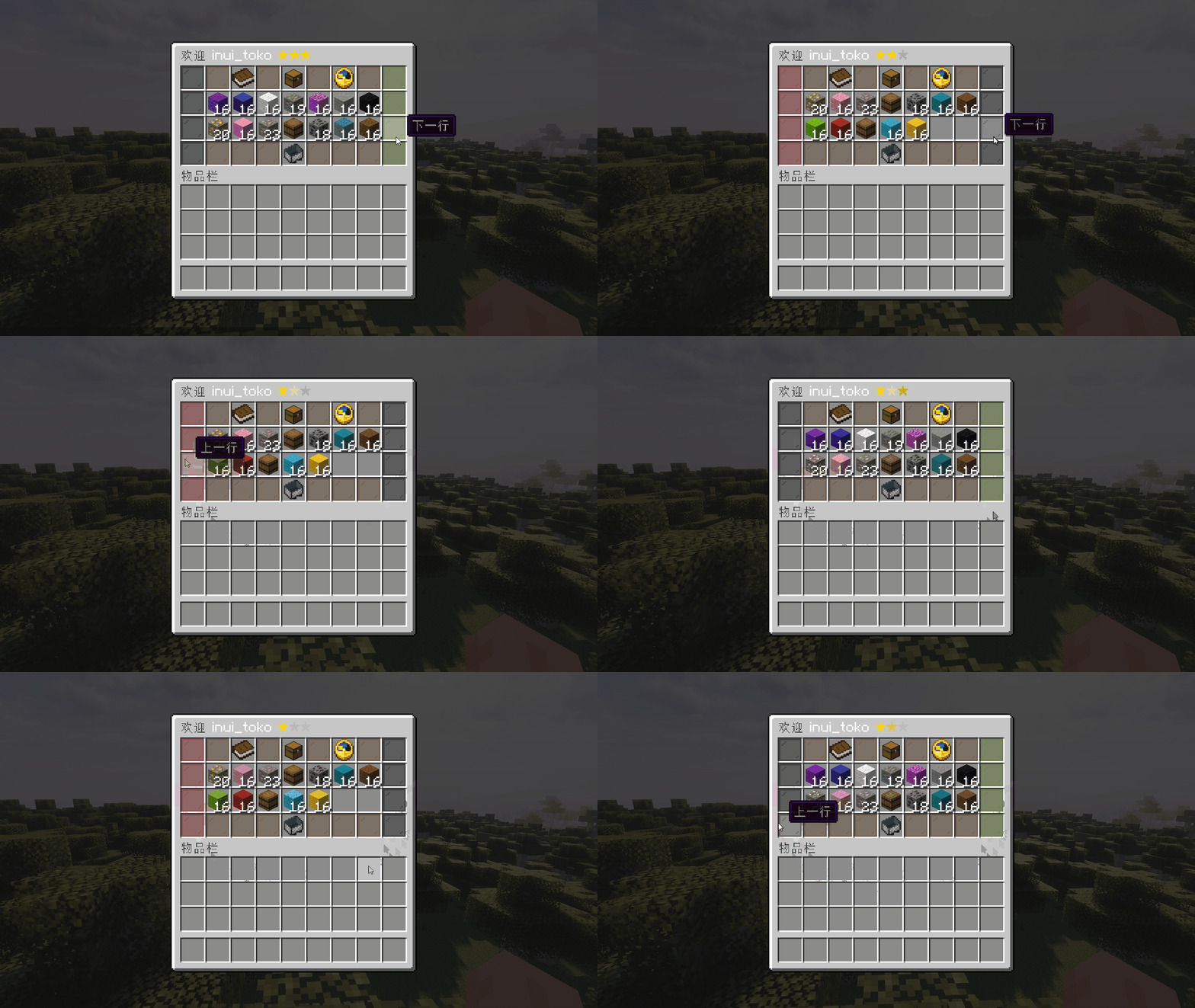
scroll-mode 仅在带有内容(即 structure 中包含 x 字符)的菜单中有效,接受一个普通字符串作为值,该字符串只能是 VERTICAL 或 HORIZONTAL,表示 scroll 时内容是 按列 还是 按行 滚动。
page-mode
page-mode 仅在带有内容(即 structure 中包含 x 字符)的菜单中有效,接受一个普通字符串作为值,该字符串只能是 VERTICAL 或 HORIZONTAL,表示 change-page 时内容是 按列 还是 按行 翻页。
structure
structure 定义了菜单中各个图标的摆放布局,接受一个普通字符串列表为值。
字符串列表的格式由菜单界面种类决定。对于普通的箱子界面,该列表的行数必须是一到六行(代表一个箱子界面的最大行数),每行必须有且仅有九个字符。而对于铁砧界面,该列表只能有一行,该行必须有且仅有三个字符(铁砧界面只有三格)。
每行每个字符间必须被空格分隔。
yaml
structure:
  - "# # # # # # # # #"
  - "# 1 2 3 4 5 6 7 #"
  - "# # # # # # # # #"
structure:
  - "1 2 3"
structure:
  - "中 文 也 可 用"
icons
icons 定义了上述 structure 中每个字符对应显示的图标,接受若干个图标配置块作为值。
每个图标配置块的详细格式见 图标。
yaml
icons:
  "#":
    base: "black_stained_glass_pane"
    name: "<gray>墙壁"
  "p":
    base: red_stained_glass_pane
    name: "<gray>上一列"
    actions:
      left:
        - scroll{amount=-1}
    icons:
      - condition: current_line == 0
        icon:
          base: black_stained_glass_pane